
Hepsia Stats Manager
Server Information
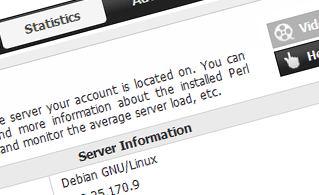 This section will offer you elaborate info about the hosting server your hosting account is hosted on. You can check the OS, the physical IP address and the current PHP/Perl/MySQL versions used, find more info about the installed Perl modules and the incoming and outgoing mail servers, monitor the server load, etc.
See Server Information here
Access & Error Logs
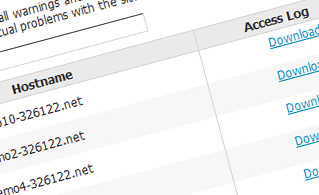 This section permits you to keep track of the access and error log files for the web sites hosted in your account. An access log contains a record of all the files uploaded onto your web site, including text files, image files, video files, etc. that your visitors have requested to access. The error log, on the other hand, maintains a history of all warning and error messages associated with your web site and helps you prevent any future issues with the website's visibility.
See Access & Error Logs here
Traffic Statistics
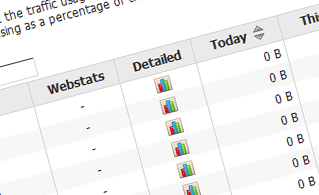 This section offers you comprehensive, up-to-date information about the visitors to your site. You can pick between two popular website stats tools - Webalizer and Awstats. They offer exhaustive info about the number of hits, visits and page requests on a daily and monthly basis. You can find statistics for all the websites hosted in your account.
See Traffic Statistics here
CPU Statistics
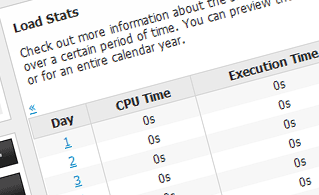 The hosting server's CPU is used to deliver your webpages to your visitors. The more complex and content-heavy your websites are, the more CPU time will be needed. This section enables you to monitor your CPU usage. You should do something to optimize your sites if the CPU time limit has been reached. You can find exhaustive stats for each day and month or for an entire calendar year.
See CPU Statistics here
| SHARED HOSTING | KVM VPS | OPENVZ VPS | SEMI-DEDICATED PLANS | DEDICATED SERVERS |
| Unlimited storage | 80 GB storage | 80 GB storage | Unlimited storage | 480 GB storage |
| Unlimited bandwidth | 4 TB bandwidth | 3 TB bandwidth | Unlimited bandwidth | 10 TB bandwidth |
| 1 website hosted | Unlimited websites hosted | Unlimited websites hosted | Unlimited websites hosted | Unlimited websites hosted |
| 30-Day Free Trial | 24/7/365 support | 24/7/365 support | 30-Day Free Trial | 24/7/365 support |
| start from $5.67/mo | start from $24.00/mo | start from $17.00/mo | start from $25.00/mo | start from $63.00/mo |